Preparation: Software
Raspberry Pi Software Raspberry Pi Imager
Select OS Raspberry Pi OS (Legacy, 32-bit)
| Item | Details |
|---|---|
| Release date | 13 Apr 2026 |
| System | 32-bit |
| Kernel version | 6.12 |
| Debian version | 12 (bookworm) |
| Download size | 497 MB |
| Storage required | 2,400 MB |
Preparation: Hardware
Micro-USB power cable and power adapter
Micro-USB to USB-A female adapter + USB to Ethernet adapter (100 Mbps) + Ethernet cable (100 Mbps) (Note: I am using a wired connection because the wireless network card on my Zero W is faulty)
microSD card (32GB or larger) + microSD card reader (for flashing the system firmware)
Micro-HDMI video cable + USB video capture card (recommend one that supports both Micro-USB and Type-C) + OBS (software)
Flashing the System
Remember to configure the Wi-Fi credentials (SSID and password) during setup (the system connects to the network automatically upon flashing; note that it requires 2.4GHz Wi-Fi and does not support 5GHz Wi-Fi).
Remember to enable SSH so you can connect to the Raspberry Pi via its local IP address once it is online (I installed “Raspberry Pi OS Lite,” which has no desktop interface, so SSH is the recommended method for operation).
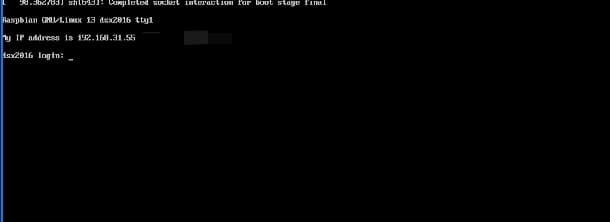
You can usually check the local IP address via the router’s admin dashboard; however, after connecting through a network switch, the device did not appear in the dashboard. Consequently, I had to connect a monitor to view the IP address displayed in the terminal.
Connecting to the System
SSH connection
`ssh user@192.168.31.55
Checking memory usage
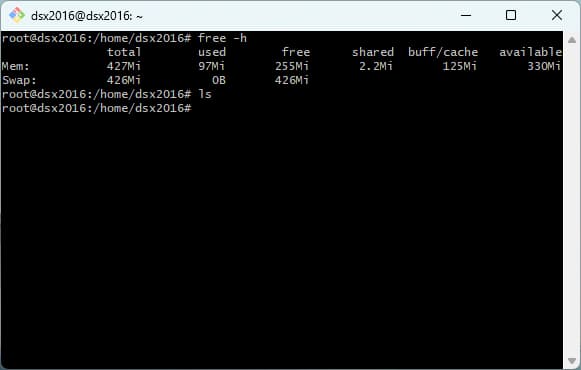
As shown, after a clean installation of Raspberry Pi OS Server Lite, the available memory is approximately 330 MB, with the system itself consuming around 100 MB.
The Raspberry Pi Zero W has limited memory; the desktop version is barely usable, while the server version is just about functional.
Applications built with Rust or Go are recommended; small applications typically consume only around 30 MB, allowing for the deployment of about five services (such as WireGuard, frp, Caddy, etc.).
| Item | Total | Used | Free | Shared | Buff/Cache | Available |
|---|---|---|---|---|---|---|
| Mem | 427Mi | 97Mi | 255Mi | 2.2Mi | 125Mi | 330Mi |
| Swap | 426Mi | 0B | 426Mi | — | — | — |